Cable through a window
A window that never fully closes lets in drafts, bugs and rain, and pinches the cable every time it's shut.
Independent Starlink installers. We are not the Starlink company; we install and set up Starlink systems as a local service.Independent Starlink installers. We are not the Starlink company.Independent Starlink installers. Not the Starlink company.
We are not DISH Network. Booked a Starlink installation through DISH? Please contact DISH directly.We are not DISH Network. DISH installation? Please contact DISH directly.Not DISH Network. DISH install? Contact DISH.


Home/Cable Routing
Most DIY Starlink setups end with a cable running across the roof, down the siding and through a cracked-open window. It looks messy, lets in drafts and bugs, and wears out in the Texas sun. Starlink cable routing is what we're named for. We run your Starlink wiring through the attic and inside the walls, seal every entry point, and put your router where it gives you the best signal.
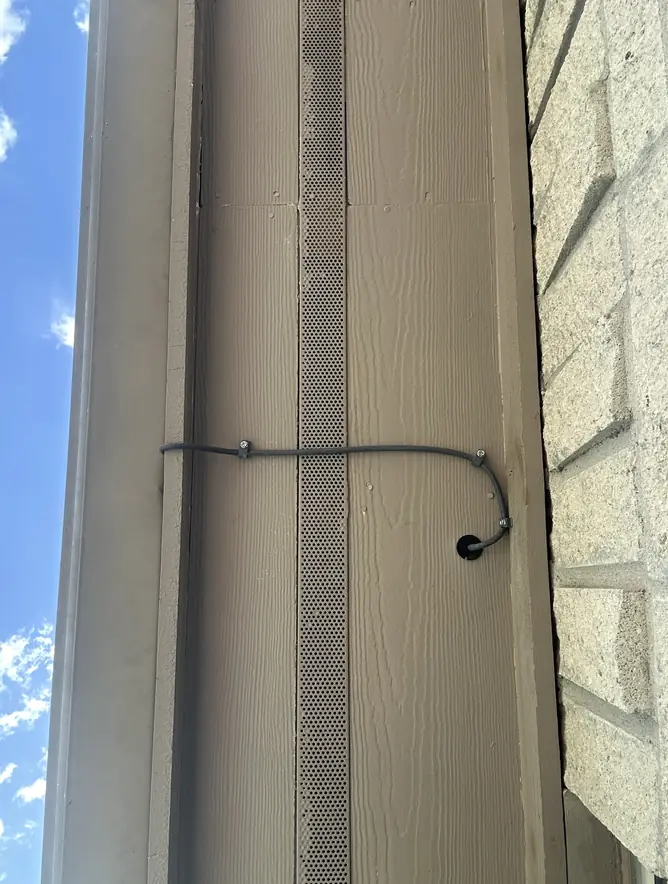
Common cable problems
A badly routed cable is more than an eyesore. It lets weather in, wears out early and often puts the router in the worst spot in the house.
A window that never fully closes lets in drafts, bugs and rain, and pinches the cable every time it's shut.
Cable tacked to the outside of the house is the first thing visitors see, and it's exposed to sun and wind every day.
Cable lying loose across shingles or metal wears out in the Texas sun and can flap in the wind.
A hole drilled through the wall with nothing around the cable lets water run straight inside.
The router sits wherever the cable happens to end, so half the house gets weak Wi-Fi.
Loose cable snaking along baseboards and under rugs, waiting to be tripped over or chewed.
Hidden Starlink wiring
From the dish to the router, every foot of cable is planned, protected and out of sight.
We plan the shortest clean path from the dish to your router, through the attic, down inside a wall and out a neat wall plate. You won't see the cable outside, and you won't see it snaking across the floor inside either.
Wherever the cable enters the house, we use a proper pass-through and seal it, with a drip loop so water runs off instead of in. Exposed outdoor sections go in protective conduit.
Need internet in a detached office or shop? We can run cable or Ethernet to outbuildings, underground when needed, or link them wirelessly.
We mount or place your router out of the way, label the connections, and set up wired connections for TVs, desktops and gaming consoles. Depending on your Starlink kit, wired devices may need the Starlink Ethernet adapter. We'll tell you if yours does and connect it.
Wi-Fi is convenient, but a cable is faster and steadier. We run CAT6 through walls and attics to a wall plate wherever you need it: the office desk, the TV, a gaming console or an access point in another part of the house.
Cable that runs outside, along a wall or underground to another building goes in weatherproof conduit, protected from sun, wind, mowers and animals.
How we route it
We find the shortest clean path from the dish to the best spot for your router.
A proper pass-through where the cable comes inside, sealed, with a drip loop.
The cable runs through the attic and down inside a wall to a neat wall plate.
Router placed, wired devices connected and a speed test where you need it.
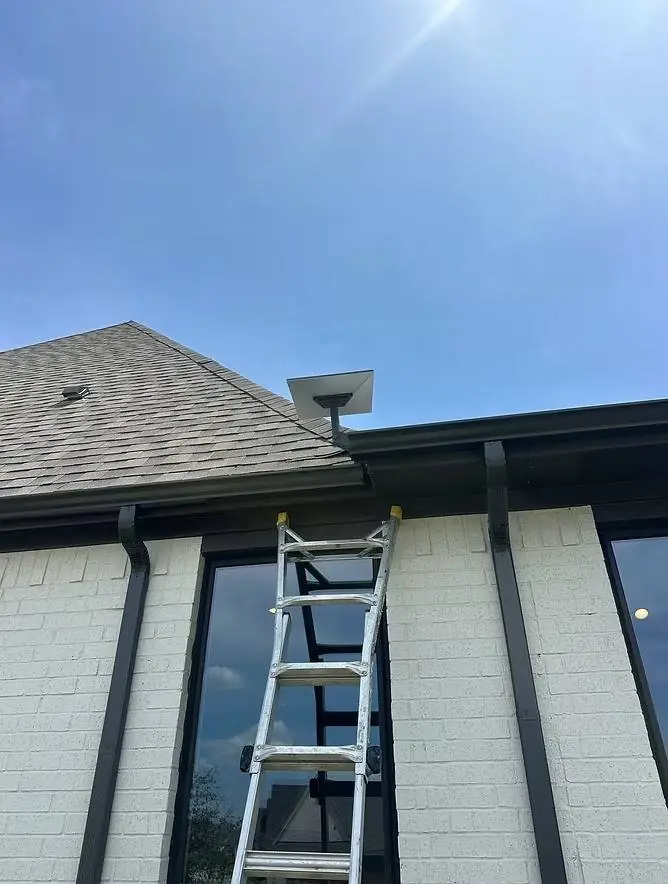 Free quote from a photo
Cable cleanup
Did you set up Starlink yourself and now there's a cable across the roof and through the window? Our cable cleanup service re-routes it through the attic and walls and seals the old openings, without replacing your whole setup.
What's included
Routing the cable out of sight is part of every Starlink installation we do, not an add-on. Longer runs, extra wired connections and outbuildings are covered in your free quote before any work starts.
Set up Starlink yourself already? Our cable cleanup fixes it without replacing your setup. Get a free quote.
People also ask
The questions people ask most about running and hiding a Starlink cable.
Yes. The cable can pass through an exterior wall at a single, sealed entry point, and Starlink sells cable routing kits for exactly this. The one rule is not to damage the cable: Starlink notes that damage to the kit can void the warranty, so the cable is routed intact rather than cut or spliced. The standard kit includes about 50 ft of cable, and Starlink sells a 150 ft cable for longer runs.
Approximate lengths from Starlink and the Ethernet standard. Beyond these, we place the router near the dish and run Ethernet, or link buildings with a wireless bridge.
Measure the route from the dish to where you want the router, then use this guide.
| Cable route, dish to router | What you need |
|---|---|
| Up to about 45 ft | The cable included with the standard kit (about 50 ft) |
| About 45 to 145 ft | Starlink's 150 ft cable, ordered from Starlink |
| Farther than that | Place the router near the dish, then run Ethernet from the router (up to 328 ft per run) |
| To a separate building | Ethernet in conduit, or a wireless bridge. See whole-property Wi-Fi |
Cable questions
In most homes, yes. We run it through the attic and inside the walls to a neat wall plate near your router, so you won't see it outside or across the floor.
Usually one small, planned entry point where the cable comes inside. We use a proper pass-through, seal it, and add a drip loop so water runs off instead of in.
Yes. Our cable cleanup service re-routes the cable through the attic and walls and seals the old openings, without replacing your whole setup.
Yes. We can run cable or Ethernet to outbuildings, underground when needed, or link them wirelessly. See whole-property Starlink Wi-Fi.
Yes. We run CAT6 through walls and attics to hardwire TVs, desktops, consoles and access points for maximum speed.
Yes. Outdoor cable, runs along exterior walls and underground runs to outbuildings go in weatherproof conduit, and every wall penetration is sealed.
It depends on your kit. Some Starlink kits need the adapter for wired devices and some don't. We'll tell you if yours does and connect it.
The standard Starlink kit includes about 50 ft (15 m) of cable. Starlink also sells a 150 ft (45 m) cable for longer runs. We measure the route during the quote and tell you before install day if you need the longer one.
We don't. Starlink notes that damage to the kit can void the warranty, so we route the cable intact through a sealed pass-through or a Starlink cable routing kit instead of cutting it.
Call 512-745-6178 or send a photo of your current setup for a free quote.